Convert To & From PDF

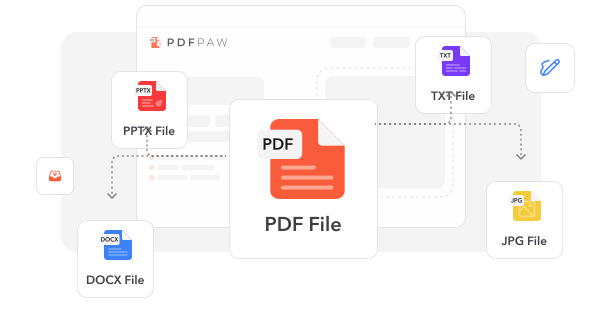
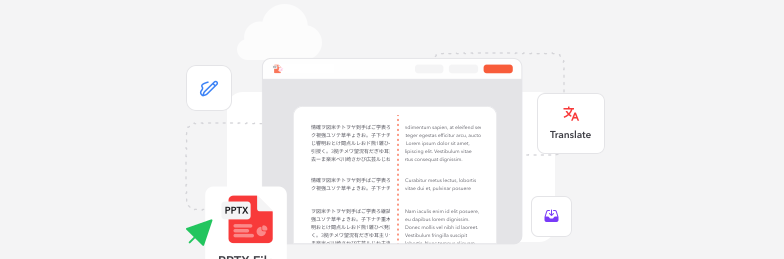
Works both ways: PDF Paw turns any file into a PDF — and any PDF into Word, Excel, PowerPoint, or images.

User avatarUser avatarUser avatar
1.5M users
17,150 reviews

Size up to 250 MB

How to convert PDF

PDF Converter
1
Drop Any File. PDF, Word, Excel, PowerPoint, or image — drag & drop it or click the + button.
2
Pick a Direction. Turn your file into a PDF, or your PDF into any format — PDF Paw handles the rest.
3
Grab the Result. Download your converted file in seconds — it's saved in your account too.

Trusted by People Like You

See how our fellow users feel about our PDF converter.

Dec 14
Where has this been all my life?!
Converted a 40-page PDF to Word and every single table survived. I almost cried with relief. PDF Paw is bookmarked forever!
Priya SharmaInstagram logo
Priya Sharma
Nov 27
Saved me right before a deadline
Turned my messy Word report into a clean PDF, then converted a client's PDF back to PowerPoint — all in minutes. Absolute lifesaver!
Tom BarrettInstagram logo
Tom Barrett
Dec 3
So simple my dad could use it
No confusing menus, no hoops to jump through. Dropped my file, picked a format, done. Why can't every tool work like this?
Camila ReyesInstagram logo
Camila Reyes
824 people generated PDF files today
Loading...

Fully Integrated With

trusted by imagetrusted by imagetrusted by imagetrusted by image

What makes our PDF tool exceptional

From documents to images—convert your PDFs however you need.

Two-Way Conversion

To PDF or from PDF — one tool does both. Word, Excel, PowerPoint, JPG, PNG, and beyond. Stop juggling five different apps.

Done in Seconds

Upload, pick a format, download. Most conversions finish before you can refill your coffee.

Nothing to Install

Everything runs in your browser. No downloads, no updates, no clutter on your computer.

Any Device, Anywhere

Mac, Windows, phone, or tablet — PDF Paw works wherever you have a browser and a connection.

Layouts That Survive

Fonts, tables, and images land exactly where they should. Your converted file looks like the original — because it should.

Private by Design

Encrypted transfers and secure processing keep your documents confidential from upload to download.

Two-Way Conversion

To PDF or from PDF — one tool does both. Word, Excel, PowerPoint, JPG, PNG, and beyond. Stop juggling five different apps.

Done in Seconds

Upload, pick a format, download. Most conversions finish before you can refill your coffee.

Nothing to Install

Everything runs in your browser. No downloads, no updates, no clutter on your computer.

Any Device, Anywhere

Mac, Windows, phone, or tablet — PDF Paw works wherever you have a browser and a connection.

Layouts That Survive

Fonts, tables, and images land exactly where they should. Your converted file looks like the original — because it should.

Private by Design

Encrypted transfers and secure processing keep your documents confidential from upload to download.

Try our PDF converter tool

Quick and easy conversions in a few steps

Convert File
4.6
1,340 reviews
4.5
13,920 reviews
4.6
4,550 reviews

Frequently Asked Questions

Find quick answers to questions about getting the most out of our tool.

Check All Tools to work with PDFs

Related articles

Explore more tips, tools and guides to help you work smarter with PDFs.

Convert PDF Online with our easy-to-use tool - PDF Paw